Aaron Adams
2008 Lexus NX 300Customer requests an oil service before a trip; change oil and filter and reset the maintenance reminder and document the final results.
0.5h
LOFCompleted
You already have software for inspections, parts ordering, and invoicing. But you're still running the actual shop floor on a whiteboard.
BayBoard is the dedicated scheduling layer that handles technician assignments and workload visualization.
BayBoard works alongside your shop management system, without replacing it.
14-day free trial. White-glove setup. Founders pricing for the first 25 shops.

John Rodgers
Owner / Admin
Bob R.
Foreman
1.5h openStuart L
A Tech
0.0h openBrad P.
A Tech
0.5h openChuck B.
A Tech
1.0h openUnassigned Jobs
4 open · 6.5 hrs
Aaron Adams
2008 Lexus NX 300Customer requests an oil service before a trip; change oil and filter and reset the maintenance reminder and document the final results.
Lucas Alvarez
2022 Ram 1500Vehicle is due for a general condition check; measure tires and brakes and inspect all safety items before the customer leaves town.
Rafael Hill
2013 Tesla Model SCustomer requests a seasonal safety inspection; test the battery and document brake and tire condition after the morning drop-off.
Alexis Delgado
2021 Ford F-150Steering no longer centers after a turn; correct adjustable angles and verify on a road test and document the final results.
Anthony Thompson
2008 Jeep CherokeeHigh mileage oil service is due this month; perform synthetic oil service and rotate the tires before the customer leaves town.
Alejandro Martinez
2023 Chrysler PacificaCoolant smell is noticeable after parking; check power, ground, and component operation under load before the customer leaves town.
Leo Carter
2007 Chevrolet MalibuAlejandro Morris
2009 Nissan FrontierNaomi Edwards
2014 Acura TLXCustomer requests an oil service before a trip; complete the oil service and inspect for visible leaks after the morning drop-off.
Elon Mustard
2024 Tesla Model YAlignment
Devin Ward
2017 Ram 1500Part on order: front brake rotor set. Install after arrival and verify the customer's original concern is resolved.
Elena Taylor
2025 GMC AcadiaPart on order: water pump assembly. Install after arrival and verify the customer's original concern is resolved.
Nora Baker
2019 Mazda CX-5Part on order: front brake rotor set. Install after arrival and verify the customer's original concern is resolved.
Amara Cruz
2006 Volvo XC90Oil service is due and the maintenance light is on; change oil and filter and complete the courtesy inspection after the morning drop-off.
Mei Mansour
2008 Toyota CamryCustomer noticed a pull after hitting a curb; set front and rear toe and center the steering wheel and document the final results.
RO #46003
2023 Mercedes-Benz E350Part on order: front brake rotor set. Install after arrival and verify the customer's original concern is resolved.
Aaron Perez
2021 Hyundai TucsonPart on order: front brake rotor set. Install after arrival and verify the customer's original concern is resolved.
Billy Jean Stevenson
2015 Ford F-150Engine R&R
Nora Garcia
2024 Mazda CX-5Vehicle is due for its regular synthetic oil change; change oil and filter and complete the courtesy inspection after the morning drop-off.
Grace Roberts
2009 Volkswagen TiguanCustomer wants a check before giving the car to family; complete a full safety check and road test and call with any additional findings.
Leah Morris
2016 Volkswagen TiguanEngine hesitates during moderate acceleration; reproduce the symptom and complete the factory test plan after the morning drop-off.
Amara Perez
2022 Volvo XC90Customer requests a seasonal safety inspection; measure tires and brakes and inspect all safety items before the customer leaves town.
Elias Patel
2024 Cadillac CT5Customer hears a humming noise above 40 mph; check power, ground, and component operation under load after the morning drop-off.
Priya Ramirez
2009 Toyota CamryOil service is due and the maintenance light is on; perform the oil service and set all tire pressures and document the final results.
Riley Novak
2026 Hyundai TucsonLuis Brown
2021 Nissan FrontierJose Gomez
2005 Lincoln NautilusJasmine Phillips
2016 Tesla Model SPart on order: lower control arm. Front suspension shifts and clunks over bumps; install after arrival at 117500 miles.
Hector Nguyen
2010 Chrysler PacificaVehicle has been parked through the winter; measure tires and brakes and inspect all safety items and document the final results.
Maya Perez
2008 Volkswagen TiguanOil life display is below ten percent; change oil and filter and check all fluid levels and call with any additional findings.
James Howard
2012 Kia SportagePart on order: front brake rotor set. Install after arrival and verify the customer's original concern is resolved.
Shop Total
9.5 / 32hShop Goal Progress
Shop Assigned Hours
Bob R.
Foreman
Goal
8h
Assigned
4.0h
Done
1.5h
Stuart L
A Tech
Goal
8h
Assigned
7.0h
Done
4.0h
Brad P.
A Tech
Goal
8h
Assigned
18.5h
Done
3.0h
Chuck B.
A Tech
Goal
8h
Assigned
7.0h
Done
1.0h
Swipe to see the full board
That's why your $300/month shop management system sits next to a $20 dry-erase board.
An outdated board sends your team walking the bays for updates. Everyone waits for answers.
Unclear assignments interrupt technicians and leave advisors chasing the next job.
Idle time means fewer cars through the bays and longer waits for customers.
See what needs attention, who can take it, and how the day is moving without walking the floor for answers.
01. Create the Job
Your team creates the job using details from the repair order in your shop management system
02. Assign and Schedule
Drag and drop to assign jobs manually. Or use Auto Schedule to assign by technician skill, availability, and shop preferences.
03. Track in Real Time
Your team can update the status of a job in real time. Everyone sees it live and stays on the same page.
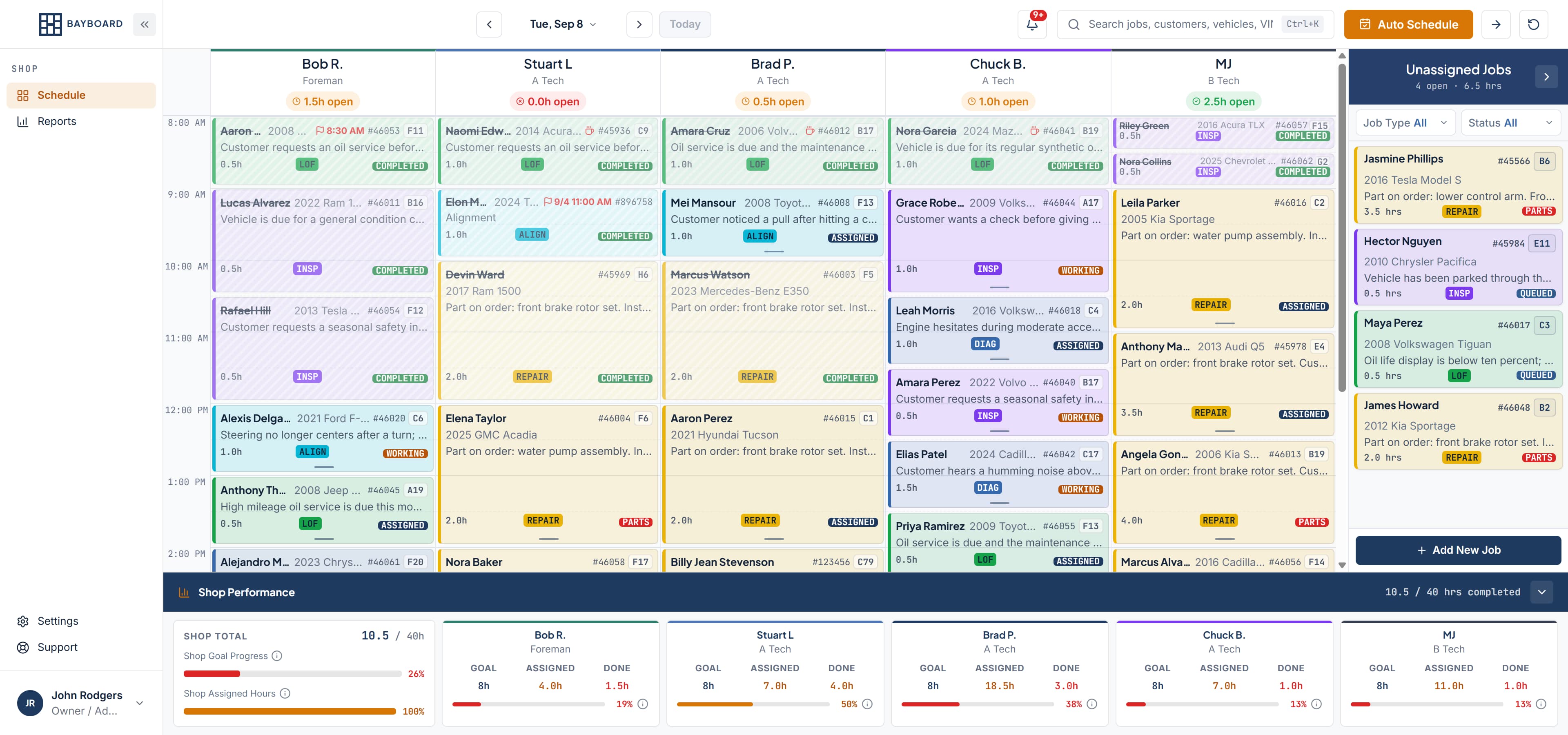
Assign the work, keep the board current, and see how the shop is performing.
Auto-Schedule
Auto Schedule uses skills, availability, and shop preferences to fill open capacity. You stay in control.
Live board
Move work and update job status so the board shows what is actually happening right now.
Carry Forward
One button moves unfinished work to tomorrow. Start the next day with a plan.
Reports
Track completed hours, car count, available capacity, and on-time performance.
Also on the board
Keep open jobs ready for the next available technician.
Block out when a technician is unavailable so work only gets assigned when they’re working.
Technicians see their completed hours and progress toward their goals.
Keep everyone speaking the same language about the work and where it stands.
Keep promised finish times and waiting customers visible while planning the work.
Search jobs by customer, vehicle, or repair order.
Get in-app alerts for work and schedule changes.
Search, navigate, and save with keyboard shortcuts.
Ask BayBoard answers how-to questions from BayBoard's published documentation.
Ask a how-to question and get a documentation-grounded answer with the next step in view.
It answers from published documentation, not your shop's data.
Five roles. Clear boundaries. Everyone sees exactly what they need, nothing more.
Estimated Extra Monthly Revenue
$15,000
Extra Cars Per Month
25
Hours Recovered Per Week
11.5
Estimates based on 7% workflow efficiency improvement. Your actual results depend on shop conditions and adoption.
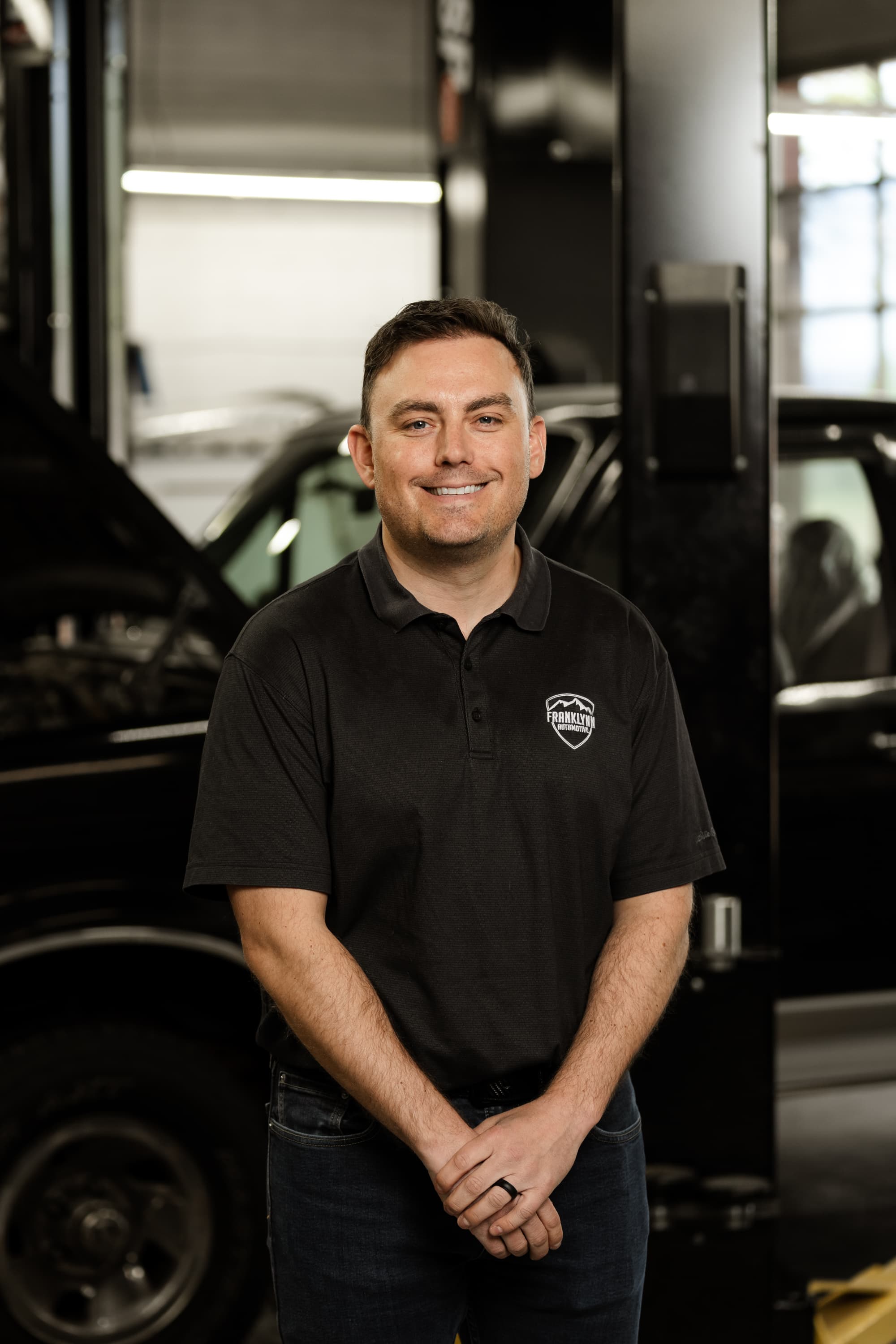
“I built BayBoard because I was tired of paying premium prices for shop software, only to realize I still needed a giant dry-erase board to know which Tech was open at 2:00PM. We didn't want to rebuild a whole shop management system. We just wanted to fix the scheduling nightmare.”
Daniel Mallatt
Founder, BayBoard
Owner, Franklynn Automotive
In this 60-minute session, I'll walk you through exactly how we use BayBoard at Franklynn Automotive; a 6-bay shop in Littleton, CO. You'll see the scheduler live, ask questions, and tell me about your shop.
See BayBoard live in a real shop. Ask anything. No sales pressure.
One paid plan, every feature included. No per-tech, per-bay, or per-RO charges. Founders tier available for the first 25 shops.
BayBoard is live and onboarding shops now. Request access and we'll personally help get your board running.
Request Access
Proven in a Real Shop
Built and piloted at Franklynn Automotive, a 6-bay shop in Littleton, CO.
Same month, prior year. No staffing changes. No new bays. Just added BayBoard.
+55%
Increase in car count.
$841
Average repair order maintained.
+$44K
In additional revenue.
Real numbers from our pilot. Ask us about the data on your demo call.